


Powerpoint Not Working: Common Causes and What to Do
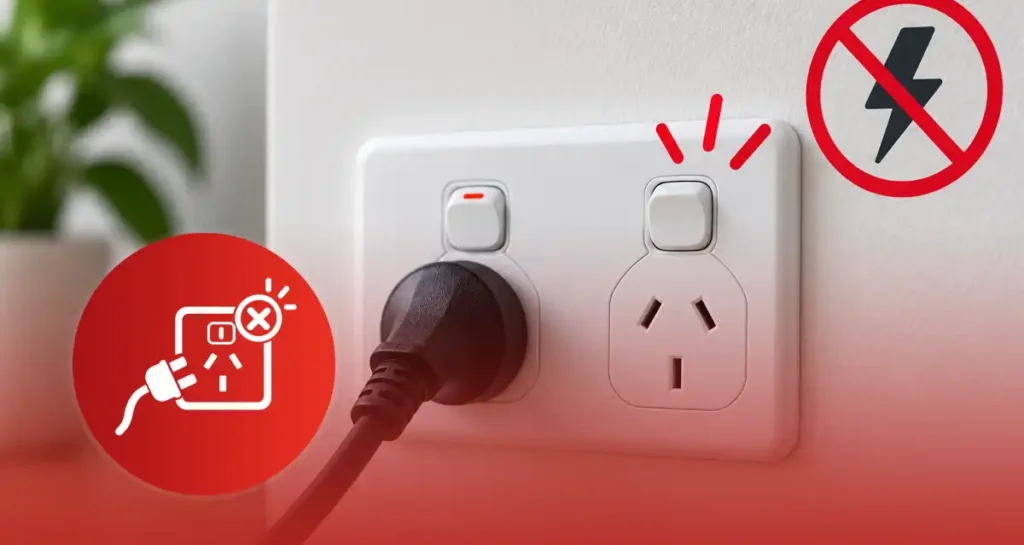
A powerpoint not working may be caused by a tripped circuit breaker or safety switch, a faulty appliance, an overloaded circuit, damaged wiring or a worn-out outlet. Sometimes, the issue is not inside the property at all—it may be part of a wider power outage.
The first step is to check the extent of the problem:
- Is only one power point not working?
- Are some power points not working in one room?
- Has the entire property lost electricity?
A few safe, external checks may help you identify whether the appliance, outlet or circuit is responsible. However, never remove the powerpoint faceplate or inspect the wiring yourself. Some causes require professional electrical services to locate and repair safely.
In this guide, we explain the common causes of powerpoints not working, the checks you can make, the warning signs of a faulty power point and when to call Dynamic Group for help.
Start Here: Is It One Powerpoint or a Wider Power Problem?
A common question when a powerpoint is not working is: What per cent of the property has lost power? This pattern can help guide us quickly in the right direction.
- One socket on a double powerpoint is dead: The socket mechanism can be worn or damaged. If it feels hot, is discoloured or has loose plugs, stop using the entire unit.
- One complete power point is not working: The outlet, cable or other nearby wiring could be damaged.
- Some power points are not working in the same room: They could be connected to a circuit that has tripped or has a fault. This is more likely if a few high-powered appliances were in use before the installation.
- Powerpoints work, but the lights do not: Lighting and powerpoint circuits are usually separately protected. The problem could be the lighting circuit, not the outlets. Dynamic Group can also help to install lights and inspect them safely.
- The whole property is without power: Check whether other homes or streetlights are affected too. Check the Western Power outage map to see whether an outage has been reported in your area. If neighbouring houses still have power, the fault could be within the premises and may require professional assistance to resolve.
Specify which outlets, lights, and rooms are affected. These details can help the Dynamic Group team determine whether you have a power point issue, a tripped circuit, or a larger electrical supply issue.
Safe Checks You Can Make When a Powerpoint Is Not Working
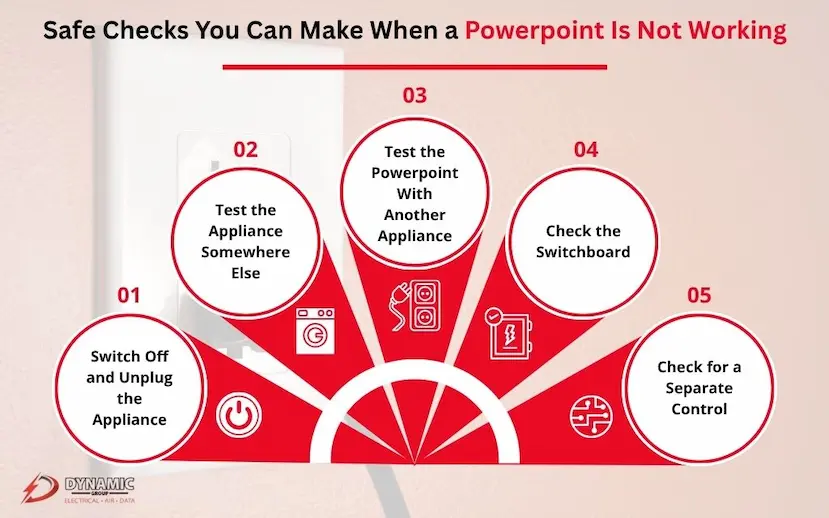
If a powerpoint is not working, you may want to do a few checks to determine if it is a powerpoint issue or an outlet issue. Do them one by one, and stop immediately if you see any heat, smoke, sparks, or burning.
1. Switch Off and Unplug the Appliance
Start by switching off the powerpoint and carefully unplugging the appliance.
Before making any other test, examine the plug, lead and appliance casing. If you see any of the following, do not use the appliance again:
- Burn marks or melted plastic
- Frayed or exposed wires
- Cracks in the plug
- Unusual heat
- A burnt or electrical smell
Avoid touching outlets or plugs that are wet, very hot, or obviously damaged. Do not let anyone touch it, and call Dynamic Group for help.
2. Test the Appliance Somewhere Else
If it appears and smells fine, connect to another power socket that is known to work.
- If it operates normally, the original power point may be the problem.
- If it still does not operate, the appliance, plug, or lead may be faulty.
Australian homes use the Type I plug type. Make sure the plug fits securely and is not bent, loose or damaged. Never test an appliance that already shows signs of electrical damage.
3. Test the Powerpoint With Another Appliance
Try a small, simple appliance you know works, such as a lamp.
If this appliance doesn’t work, you might have a faulty power point or a circuit problem. This test will identify the probable cause, but it will not confirm that the wiring behind the outlet is safe.
Do not take off the faceplate, use a homemade tester, or put tools into the socket. Don’t do internal checks—let the licensed electrician do it.
4. Check the Switchboard
Check for a safety switch or circuit breaker in the OFF or middle position. Turn off and unplug appliances connected to the circuit before resetting.
If you don’t see any damage, you can try resetting it once. The Electrical Safety Office Queensland says that a safety switch that can’t be reset may indicate a circuit fault and should be repaired by a licensed electrician.
If the circuit breaker keeps tripping, unplug it. Multiple resets will not fix the issue.
5. Check for a Separate Control
Some power points may not work because other power points control them. Check for an accessible:
- Wall switch
- Appliance isolation switch
- Timer
- Smart-home controller
- Energy-management system
If all controls are on and the electrical powerpoint is not working, stop there. Dynamic Group can check the outlet, circuit and wiring without any risk to you.
Common Reasons a Powerpoint Stops Working
If we’re told a powerpoint isn’t working, the outlet itself might not be the only issue. Usually, the first useful clues come from the pattern: when did it stop, what was plugged into it, and did the switchboard trip?
A Tripped Circuit Breaker or Safety Switch
Circuit breakers and safety switches automatically switch off power when they detect dangerous conditions. Sometimes they are lumped together, but they have different functions:
- A circuit breaker is a type of fuse that is designed to stop wires from being overloaded or shorted out.
- The RCD or safety switch is mainly used to prevent the risk of electric shock due to current leakage from the intended circuit.
Our guide to a safety switch vs circuit breaker explains the distinction in more detail.
If the device resets again after one reset, turn it off. This circuit should be investigated, not just flicked back on.
An Overloaded Power Circuit
Running multiple heavy-duty appliances simultaneously could overload a circuit. Common combinations include:
- A kettle and microwave
- Portable heaters in several rooms
- A portable air conditioner and other appliances
- Multiple cooking appliances connected nearby
Note that several sockets do not mean they have their own electricity supply. More than one outlet can be on a circuit, and they can share the same circuit capacity. Knowing the difference between volts, amps, and watts can help you identify appliance demand.
A Faulty Appliance or Power Board
Sometimes, a powerpoint that isn’t working may be due to a faulty appliance, a break in the power board, or an overloaded extension lead. A single faulty item could cause the protective device to operate, resulting in several powerpoints becoming inoperative.
Unplug equipment rather than repeatedly switching power on and off. The WA Department of Fire and Emergency Services recommends against overloading power boards, extension leads and adaptors. It also provides guidance on home fire prevention that high-wattage appliances be directly connected to permanent electrical outlets.
A Worn, Loose or Damaged Powerpoint
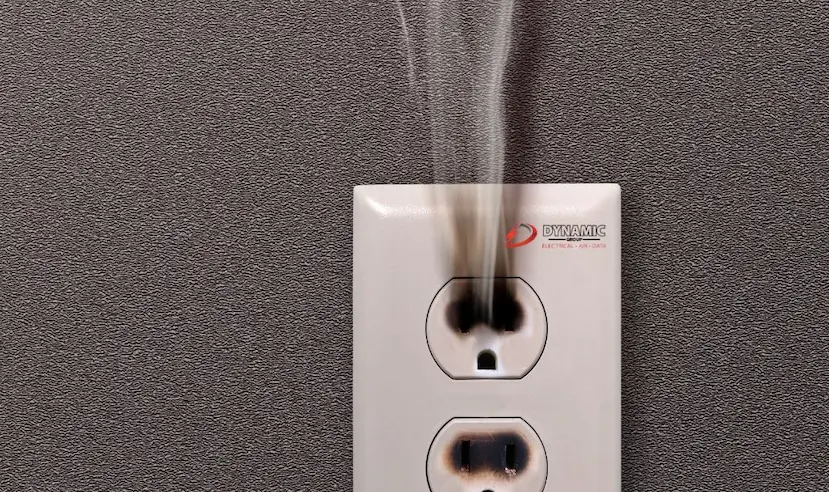
Powerpoints do not last forever. Stop using the outlet if you notice:
- A cracked or loose faceplate
- A switch that does not operate properly
- Brown or black discolouration
- Melting or unusual warmth
- Buzzing or crackling
- A plug that slips out easily
If the plug is loose-fitting, it may indicate an outdated internal contact. Do not use a faulty power point; have Dynamic Group inspect it.
Loose or Deteriorated Wiring
Age, repeated heating, past workmanship and physical damage can cause connections to loosen or break down. Older Australian properties may also contain wiring that needs a broader safety assessment.
A Short Circuit or Earth Fault
A short circuit creates an unwanted low-resistance path that may cause a dramatic increase in current flow. An earth fault allows electricity to travel along an unintended path towards earth.
Both errors can result in a power point that doesn’t work or in switchboard tripping. Both can cause shock, heat and fire hazards. If you wish to understand the basics of electricity, take a look at the definition of a short circuit. If the actual fault involves an electrical circuit, have the Dynamic Group team test it safely.
| Likely Cause | What You May Notice | Safe Next Step |
|---|---|---|
| Circuit Overload | Power cuts out when several appliances operate | Unplug appliances and avoid repeated resets |
| Faulty Appliance | Circuit trips when one item is connected | Stop using that appliance |
| Damaged powerpoint | Heat, looseness, cracking or discolouration | Do not use the outlet |
| Wiring Fault | Intermittent power or repeated tripping | Arrange professional testing |
Why Is One Powerpoint Not Working but the Others Are?
If one powerpoint isn’t working, while the others are, then it is likely a localised problem. The entire circuit does not have to fail for a single outlet to stop supplying electricity.
Common causes include:
- A damaged socket mechanism
- A failed powerpoint switch
- Loose or deteriorated connections
- Terminals damaged by excessive heat
- A damaged cable supplying the outlet
- A fault at another connection on the same circuit
Dynamic Group will not just pick the first outlet we come across. You will see that our electrical fault finding process could include checking:
- Whether electricity is reaching the affected powerpoint
- Whether the outlet mechanism operates correctly
- Whether the circuit has safe continuity
- Whether the earthing connection is intact
- Whether another outlet or connection is interrupting the supply
It will be safe to take measurements and narrow down the fault using a multimeter and other specialised testing equipment.
Do not remove the faceplate to check for a loose wire. According to WA Building and Energy, if a powerpoint becomes damaged, it requires replacement by a licensed electrical contractor, since the live wiring is still present behind a switch that is off.
If an electrical powerpoint doesn’t work, don’t use it, and let us know which other powerpoints still work. That small detail can make it much easier to locate the fault.
Warning Signs: Stop Using the Powerpoint Immediately
A powerpoint not working is inconvenient, but a powerpoint showing signs of heat or electrical damage is a safety issue. So discontinue the use of the outlet as soon as you notice any of the following:
- Ongoing or repeated sparks
- Smoke or a burning smell
- Buzzing, humming or crackling sounds
- A hot faceplate or switch
- Brown, black or melted areas
- A cracked, loose or missing cover
- Tingling or an electric shock
- Water or moisture around the outlet
- A plug that sits loosely or falls out
- Repeated circuit-breaker or safety-switch trips
A plug’s contacts can sometimes produce a small, fleeting spark. Large or continuous sparks that occur repeatedly are different and shouldn’t be overlooked.
What Should You Do?
- Stop using the powerpoint. Do not try another appliance to see whether it still works.
- Unplug the connected appliance only if it is clearly safe. Do not touch the plug if the outlet is wet, smoking, sparking or extremely hot.
- Switch off the affected circuit or main switch if there is an immediate hazard and you can safely access the switchboard.
- Keep everyone away, particularly children and pets.
- Call Dynamic Group so we can inspect the faulty power point, circuit protection and surrounding wiring.
Do not assume that if someone has had an electric shock, they are okay just because they don’t appear to be injured. Even a mild electric shock should warrant medical evaluation, according to Healthdirect Australia. For serious symptoms (such as loss of consciousness or abnormal breathing), call Triple Zero (000).
If you encounter smoke or fire, get to safety and dial Triple Zero (000). NEVER use water to put out an electric fire. This aligns with DFeS recommendations.
Reliable smoke alarm installation also provides vital early warning when an electrical fault begins overheating out of sight.
Suggested visual: A close-up photographic guide showing heat discolouration, cracking, looseness and melting. Include a “Do Not Use” warning without showing dangerous DIY handling.
Can You Repair a Powerpoint Yourself in Australia?
No. To avoid self-replacing or modifying a wired outlet, contact an electrician if a powerpoint is not working. Only a licensed electrician who is qualified to do the job should perform any fixed electrical work.
Turning off the circuit breaker does not make it safe or legal to make electrical repairs yourself. Faulty labelling, shared circuits, wiring faults, or alternative supplies can still make wiring hazardous.
Safe Work Australia recommends that a licensed or registered electrician perform electrical work.
If you are a renter, do not use the faulty power point and let your landlord or property manager know about its problem. Don’t make or attempt unwarranted changes.
Our licensed residential electricians will find out what has gone wrong, fix the issue and test the circuit before putting it back into service.
Does the Powerpoint Need Repairing or Replacing?
When a powerpoint isn’t working, we first determine whether the problem is at the powerpoint or somewhere else on the circuit. A new faceplate won’t fix a damaged cable or loose connection behind it.
At Dynamic Group, our inspection may cover:
- The powerpoint’s socket and switch mechanism
- Terminal connections
- Cable condition
- Earthing continuity
- Circuit-breaker and safety-switch protection
- Signs of heat, arcing or overloading
If the power point mechanism is broken, the contacts are worn, or the faceplate is cracked, it may still be possible to replace the faulty power point. If the cable, earth, and circuit protection are not damaged, you may still be able to replace the faulty power point.
If that’s the case, professional powerpoint installation restores the outlet without any further work. If the current setup relies on extension leads, a more practical location or outlet type can also be addressed.
Rewiring isn’t necessarily required for older properties. If the deterioration is widespread, however, the need to rewire a house increases. Similarly, switchboard upgrades are planned only when existing protection or circuit capacity is insufficient.
Get Your Powerpoint Checked by Dynamic Group
A powerpoint not working may be caused by a faulty appliance, damaged outlet, overloaded circuit, wiring fault or tripped protective device. While you can safely check another appliance or nearby outlet, never remove the faceplate or attempt to repair fixed wiring yourself.
Dynamic Group can help by:
- Testing dead or intermittent powerpoints
- Locating loose or damaged connections
- Investigating repeated circuit trips
- Replacing cracked, burnt or worn outlets
- Checking the circuit, earthing and safety protection
- Installing additional powerpoints where needed
We assist homeowners, tenants, landlords, property managers and businesses throughout Perth. Whether one power point is not working or several outlets keep losing power, we can find the cause and recommend a safe, practical solution.
Is your outlet hot, damaged, sparking, or repeatedly tripping the circuit? Stop using it and contact us today to request an inspection and a free quote for a reliable repair.

Unmatched Electrical Services
Explore our services and see why we're recognised as one of Perth's top electrical service providers. Our dedication to exceptional customer care, clear communication, and the unmatched expertise of our experienced team make us stand out.

Competive Rates

Clean Work Sites

5-Star Service

Licenced & Qualified
Get in Touch Now
Complete the form below to get a customised quote or to have your queries answered.